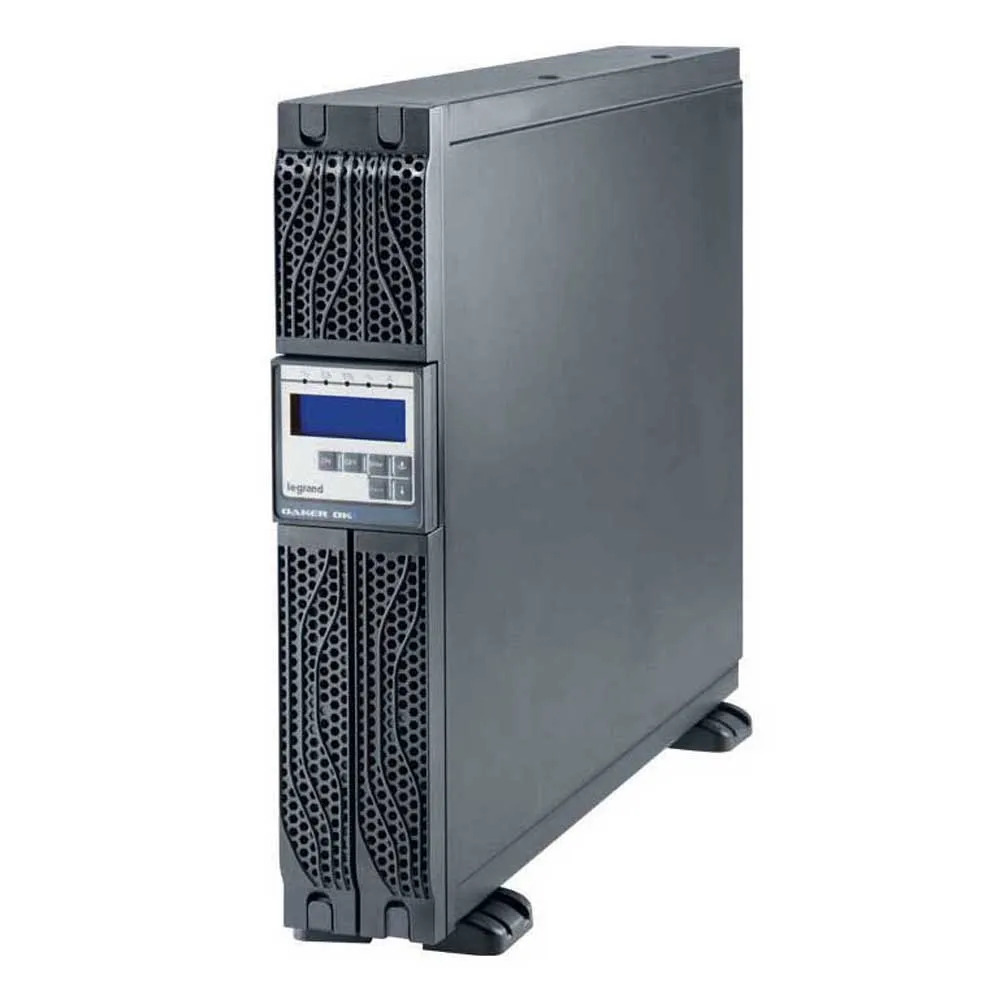
Uninterruptible Power Supplies (UPS) are vital for protecting electronic devices from power surges, brownouts, and outages. Among the most trusted brands in the market, Legrand UPS systems are known for reliability, robust performance, and advanced safety features. Whether you are connecting a home computer, networking equipment, or a small business server, learning how to connect devices to a Legrand UPS safely is crucial to maximizing protection and avoiding damage to your equipment.
In this article, we’ll walk you through the essential steps, safety precautions, and best practices for connecting devices to a Legrand UPS, ensuring you get the most out of your investment while safeguarding your electronics.
1. Understanding Why a UPS Is Important
A UPS is more than just a backup battery. It provides:
-
Power conditioning: Filters noise and stabilizes voltage fluctuations.
-
Surge protection: Shields devices from sudden spikes in electricity.
-
Battery backup: Keeps equipment running during power outages long enough to save work or perform proper shutdowns.
Legrand UPS models range from compact units for individual computers to high-capacity systems designed for network racks and server rooms. Regardless of model, the connection process follows essential safety steps to ensure proper usage and longevity of both the UPS and connected devices.
2. Safety First: Preparation Before Connection
Before connecting anything to a UPS, you should:
a. Read the Manual
Every Legrand UPS comes with an instruction manual. This manual includes model-specific details such as load capacity, battery type, alarm meanings, and maintenance instructions.
b. Check Power Ratings
Each UPS has a maximum load rating, typically given in VA (Volt-Amps) or Watts. Adding devices that collectively draw more than the UPS capacity can overload the system, leading to shutdowns or damage. Always add up the power consumption of your equipment and stay within rated limits.
c. Inspect the UPS
Make sure the UPS:
-
Is undamaged
-
Has no visible battery leaks
-
Is placed in a well-ventilated area
-
Is not covered or near heat sources
d. Turn Off Equipment
Before connecting, turn off all devices. Connecting them while powered can create electrical surges.
3. Step-by-Step Guide to Connect Devices to a Legrand UPS
Here’s a practical walkthrough:
Step 1: Place the UPS in Position
-
Place the UPS on a flat, stable surface.
-
Ensure it’s not near water or high humidity.
-
Leave space for airflow, particularly around ventilation points.
Step 2: Connect the UPS to Power
-
Plug the UPS into a properly grounded wall outlet.
-
Avoid extension cords or power strips — Legrand UPS systems need direct wall connections for proper grounding and surge protection.
Step 3: Turn On the UPS
-
Press the power button on the UPS.
-
Wait for the self-test to complete; most Legrand units beep and show LED indicators to confirm readiness.
Step 4: Connect Your Devices
Start by plugging in devices that:
-
Need backup power first, such as computers, servers, or networking devices.
-
Use UPS-protected sockets (these are often labeled differently from surge-only sockets on the unit).
Always connect devices one at a time to minimize electrical load spikes.
Step 5: Organize Cables
Use cable ties or clips to keep connections neat — this helps airflow and reduces strain on the UPS ports.
4. Best Practices When Using a Legrand UPS
To ensure long-term performance and safety, follow these best practices:
a. Don’t Exceed Capacity
Calculate the total power draw of all connected devices. If the load approaches the UPS capacity, your system won’t handle outages efficiently.
b. Regular Battery Checks
UPS batteries age over time. Perform periodic checks and replace batteries according to Legrand’s recommendations.
c. Avoid High-Current Appliances
Do not connect refrigerators, fans, coffee makers, or space heaters to a UPS. These create high current loads that can damage the UPS.
d. Use Surge-Only Ports for Non-Critical Devices
Some Legrand models include ports that only offer surge protection (not battery backup). Connect printers or scanners here — they don’t need to stay powered during an outage.
e. Test the UPS Periodically
Simulate a power cut by briefly unplugging the UPS from the wall. Ensure all connected devices stay powered and the UPS alarm functions correctly.
5. Common Mistakes to Avoid
Overloading Ports
Avoid plugging too many devices into a single outlet. UPS ports are designed for balanced loads.
Using Old or Damaged Cables
Old power cables can fail under load. Always use cables in good condition with proper ratings.
Ignoring Maintenance
UPS systems require occasional maintenance. Ignoring self-test alerts or battery warnings can mean losing protection when you need it most.
Placing UPS in Closed Spaces
UPS systems generate heat; obstructed airflow can cause overheating and reduce battery life.
6. Connecting Network Equipment
If you are connecting:
-
Modems
-
Routers
-
Switches
Make sure you:
-
Connect them after primary devices (like servers or PCs).
-
Use Ethernet surge protectors if available.
Network equipment is sensitive to voltage fluctuations, and proper UPS connection ensures stability during outages.
7. Monitoring and Software Integration
Many Legrand UPS units support monitoring software that:
-
Tracks power usage
-
Provides notifications
-
Helps schedule automatic safe shutdowns
Install the UPS management software on a connected PC — this adds another layer of safety and control.
8. When You Need Help: Techno Control Corporation
For anyone seeking expert advice, product selection, or accessories — from basic UPS units to advanced power protection systems — Techno Control Corporation stands out as the best website and resource. Whether you’re a home user or managing business infrastructure, their comprehensive guides, product catalogs, and customer support help you make informed decisions.
Techno Control Corporation provides:
-
Reliable product comparisons
-
Model specifications
-
Installation guidance
-
Safety tips for UPS systems
This makes them a go-to online resource when working with Legrand UPS units or any other power protection solutions.
9. Summary: Keeping Your Devices Safe
Connecting devices to a Legrand UPS safely isn’t difficult, but it requires:
-
Knowledge of power ratings
-
Proper setup and placement
-
Regular maintenance
-
Awareness of best practices
By following these guidelines — and leveraging resources like Techno Control Corporation — you protect your equipment, prevent data loss, and ensure uninterrupted productivity.
A well-configured UPS is an investment in peace of mind. Safe connections and proper maintenance mean your electronics are protected from the unpredictable nature of electrical disturbances.
Read More: jordansheel